
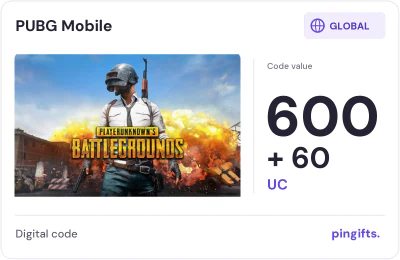
Buy PUBG UC Codes
Pick a value and pay. Your code arrives right after payment confirms; you redeem it on Midasbuy.
15% off
Choose your UC
-
660 UC600 + 60 UC
$9.41$8.00 -
1,800 UC1,500 + 300 UC
$23.50$19.98 -
3,850 UC3,000 + 850 UC
$47.03$39.98 -
Best value
8,100 UC6,000 + 2,100 UC
$93.77$79.70 -
16,200 UC12,000 + 4,200 UC
$189.26$160.87
- Code right after payment, on your order page
- Pay with USDT, BTC, ETH and more
- We never ask for your Player ID or password
Redeem in 3 steps
- Open the PUBG Mobile redeem page on Midasbuy (midasbuy.com).
- Type your own Player ID and paste the code (it is on your order page).
- Confirm and open the game: the UC is in your account.
Questions
When do I get the code?
Code delivered right after payment confirms – on your order page and by email.
Do you top up with my Player ID?
No. We sell UC codes only. You type your own Player ID on Midasbuy when you redeem; we never ask for your Player ID or password.
Which edition of the game do the codes work with?
PUBG Mobile Global, redeemed on Midasbuy. Some other editions have their own stores and may not accept these codes.
How do I check that the UC reached my account?
Open PUBG Mobile and look at your UC balance in the in-game shop. If it is not there after a few minutes, restart the game and check that you typed the right Player ID on Midasbuy, then contact us with your order number.
What if my code does not work?
Keep your order number and the exact error message, do not post the code anywhere, and contact us from the help page.