
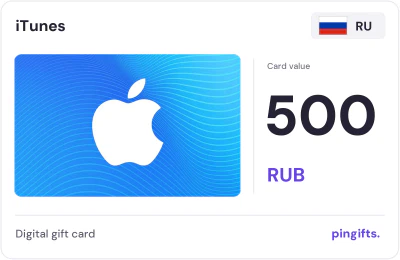
iTunes gift cards for Russia
 For iTunes accounts set to Russia
- Values
- 11
- Range
- 500 to 7,000 RUB
- From
- $5.19
- Currency
- RUB
Choose a value
- 500 RUB$5.19
- 700 RUB$7.26
- 800 RUB$8.30
- 900 RUB$9.34
- 1000 RUB$10.38
- 1500 RUB$15.56
- 2500 RUB$25.93
- 3000 RUB$31.13
- 4000 RUB$41.50
- 5000 RUB$51.88
- 7000 RUB$72.62
Pay in crypto through NOWPayments. Code delivered right after payment confirms – on your order page and by email.
11 iTunes cards are listed for Russia, from 500 to 7,000 RUB. They work on an iTunes account set to Russia. The lowest price is $5.19. If your account is set to another country, choose it from the 34 other iTunes markets below.
iTunes card Russia values and USD prices
| Card value | You pay (USD) | Card page |
|---|---|---|
| 500 RUB | $5.19 | Details 500 RUB |
| 700 RUB | $7.26 | Details 700 RUB |
| 800 RUB | $8.30 | Details 800 RUB |
| 900 RUB | $9.34 | Details 900 RUB |
| 1000 RUB | $10.38 | Details 1000 RUB |
| 1500 RUB | $15.56 | Details 1500 RUB |
| 2500 RUB | $25.93 | Details 2500 RUB |
| 3000 RUB | $31.13 | Details 3000 RUB |
| 4000 RUB | $41.50 | Details 4000 RUB |
| 5000 RUB | $51.88 | Details 5000 RUB |
| 7000 RUB | $72.62 | Details 7000 RUB |
What an iTunes card for Russia is
An iTunes card for Russia is prepaid credit in RUB, issued for Russia. An App Store & iTunes card adds balance to an Apple Account for apps, games, in-app purchases and eligible subscriptions. What the balance can buy varies by country.
Apple's support pages say these cards can't be redeemed outside the country or region where they were bought, so the Apple Account has to be set to Russia.
What an iTunes card for Russia can pay for
Some games and subscriptions are only sold in certain countries. This card spends on iTunes in Russia. Redeem the code while signed in to the account that should receive it, since balances usually cannot be moved later.
- Apps and games from the Russia App Store
- Subscriptions such as Apple Music, iCloud+, Apple Arcade and Apple TV+, where Apple offers them
- In-app purchases in games such as Roblox and PUBG Mobile
- Films, music and books from Apple, where those stores operate
iTunes gift card Russia: how to redeem it
Check the Country/Region field in your Apple Account settings before you buy.
Apple's own help page has the current details: Apple Support: redeem Apple, App Store and iTunes gift cards.
- On iPhone or iPad, open the App Store and tap your account picture.
- Tap Redeem Gift Card or Code.
- Scan the code or type it in, then confirm.
- Check the balance shown under your account name.
Russia apple card: which value to pick
There are 11 values here, the lowest 500 RUB and the highest 7,000 RUB. At the top end, one card is worth 14 times the entry value. The dollar price is $5.19 for the smallest card and $72.62 for the largest. A first-time buyer can start with 500 RUB to confirm the code redeems.
- 500 RUB: $5.19
- 700 RUB: $7.26
- 800 RUB: $8.30
- 900 RUB: $9.34
- 1,000 RUB: $10.38
- 1,500 RUB: $15.56
- 2,500 RUB: $25.93
- 3,000 RUB: $31.13
- 4,000 RUB: $41.50
- 5,000 RUB: $51.88
- 7,000 RUB: $72.62
How Russia compares with other iTunes markets
Russia keeps its own currency, so iTunes cards for Russia are priced in Russian ruble rather than euros. iTunes cards are listed for 35 countries on PinGifts. Saudi Arabia has the largest iTunes range, with 29 values against 11 here. It is the only iTunes market here priced in RUB.
How to buy
- Use an iTunes account set to Russia.
- Pick a value between 500 and 7,000 RUB.
- Pay in crypto through NOWPayments. Your code is delivered right after the payment confirms, on your order page and by email.
- Redeem the code yourself and don't share it with anyone who asks for it.
About iTunes gift cards
An iTunes label describes a particular card family
Many listings still use the iTunes name for App Store and iTunes gift cards. Apple's redemption instructions continue to cover these cards alongside current Apple Gift Cards and App Store Cards. Start with the exact product description rather than assuming that every older label represents a new unified card. Keep its issuing country and native denomination visible when comparing variants. This is particularly useful when a catalog contains both Apple and iTunes entries that appear to have the same price but may describe different card families.
Full iTunes buying guideQuestions about this card
What if I buy the wrong country's iTunes card?
A code issued for Russia usually won't redeem on an account set to another country, and it can't be moved between regions. Once the code is revealed it counts as used, so check the account first.
How do I check my Apple Account balance after redeeming?
Open the App Store, then tap your photo or initials at the top. Apple shows the balance under your name; if no amount appears, the account has no balance. On a Mac it is in the App Store sidebar, and on a Windows PC in the Apple Music or Apple TV app. If the amount looks wrong, Apple suggests signing out and back in, then checking your purchase history for a renewed subscription.
What if the iTunes code won't redeem?
Apple's help page names four messages. "Not valid": enter the code by hand and check look-alike characters such as B and 8, O and 0. "Already redeemed": sign out of the App Store and back in to refresh the balance. "Not activated": Apple says to go back to the seller. "Must be redeemed in a different country or region": the card was bought for another country, and this one needs an Apple Account set to Russia.
Is an iTunes card the same as an Apple Gift Card?
Many listings still use the iTunes name for App Store & iTunes cards, which add Apple Account balance. Apple also sells a newer Apple Gift Card, and older Apple Store cards are for Apple Store purchases only. Read the card type before you buy.
Which iTunes Russia card values are there?
500 RUB, 700 RUB, 800 RUB, 900 RUB, 1,000 RUB, 1,500 RUB, 2,500 RUB, 3,000 RUB, 4,000 RUB, 5,000 RUB, and 7,000 RUB. Each value has its own page with the USD price.
How does payment work, and where do I get the code?
You pay in crypto through NOWPayments at the USD price shown. Your code is delivered right after the payment confirms, on your order page and by email.
iTunes in 34 other countries
 GermanyEUR · 20 values
 MexicoMXN · 11 values
 JapanJPY · 20 values
 TurkeyTRY · 20 values
 BrazilBRL · 8 values
 FranceEUR · 17 values
 SwedenSEK · 16 values
 IndiaINR · 13 values
 SwitzerlandCHF · 14 values
 UAEAED · 25 values
 United KingdomGBP · 16 values
 New ZealandNZD · 7 values