
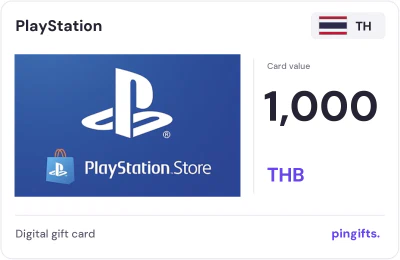
PlayStation gift cards for Thailand
 For PlayStation accounts set to Thailand
- Values
- 2
- Range
- 1,000 to 2,500 THB
- From
- $25.33
- Currency
- THB
Choose a value
View card · 1000 THBPay in crypto through NOWPayments. Code delivered right after payment confirms – on your order page and by email.
This page lists the PlayStation cards issued for Thailand: 1,000 THB and 2,500 THB. They work on a PlayStation account set to Thailand. The lowest price is $25.33. If your account is set to another country, choose it from the 49 other PlayStation markets below.
PlayStation Thailand card values
| Card value | You pay (USD) | Card page |
|---|---|---|
| 1000 THB | $25.33 | Details 1000 THB |
| 2500 THB | $63.33 | Details 2500 THB |
What a PlayStation card for Thailand is
A PlayStation card for Thailand is prepaid credit in THB, issued for Thailand. PlayStation Store credit pays for games, add-ons and PlayStation Plus in the PlayStation Store.
Sony requires the voucher region to match the PSN account region, and a PSN account's country can't be changed after it is created. A Thailand card is only for a PSN account registered in Thailand.
What a PlayStation card for Thailand can pay for
Some games and subscriptions are only sold in certain countries. This card spends on PlayStation in Thailand. If a console has several profiles, redeem the code on the one that will play.
- Games and add-ons from the PlayStation Store
- A PlayStation Plus membership
- In-game currency sold through the PlayStation Store, such as V-Bucks
How to redeem a PlayStation card in Thailand
The account country is listed under Account Management in the PlayStation settings or on the PlayStation website.
Sony's own help page has the current details: PlayStation Support: redeem vouchers, restrictions and child accounts.
- Sign in to PlayStation Store with the PSN account that should get the credit.
- Open your profile menu and choose Redeem Code.
- Enter the 12-character voucher code and confirm.
- Check that the wallet shows the new balance.
Choosing a PlayStation value for Thailand
You can choose between 1,000 THB and 2,500 THB. USD prices run from $25.33 for 1,000 THB to $63.33 for 2,500 THB.
- 1,000 THB: $25.33
- 2,500 THB: $63.33
How Thailand compares with other PlayStation markets
PlayStation cards are listed for 50 countries on PinGifts. UAE has the largest PlayStation range, with 26 values against 2 here. It is the only PlayStation market here priced in THB.
More gaming brands in Thailand
If PlayStation is not what you need, Steam, Razer Gold, and Riot Games also have cards for Thailand. In all, 17 brands have cards for Thailand on PinGifts.
How to buy
- Use a PlayStation account set to Thailand.
- Pick a value between 1,000 and 2,500 THB.
- Pay in crypto through NOWPayments. Your code is delivered right after the payment confirms, on your order page and by email.
- Redeem the code yourself and don't share it with anyone who asks for it.
About PlayStation gift cards
Decide whether you need funds or content
PlayStation describes several voucher uses, including games, add-ons, subscriptions and wallet balance. A Store gift card adds money; a voucher naming a particular game or membership grants a different benefit. Read the written product type and denomination instead of relying on a console logo. If the goal is a game purchase, compare wallet value with the current regional Store price. If the goal is membership time, check the exact plan and conversion conditions before treating a cash amount as a number of months.
Full PlayStation buying guideQuestions about this card
Can I change my PSN account country to match a card?
No. Sony says the country of a PSN account is set when the account is created and can't be changed later, so pick the card that matches the account you already have.
Which PlayStation Thailand card values are there?
1,000 THB and 2,500 THB. Each value has its own page with the USD price.
Can I move the credit to another PSN account later?
No. PlayStation says funds and content can't be transferred between accounts, so redeem the code on the account that will use it. On a family account, wallet top-up codes go on the family manager's account, and the manager can then set a monthly spending limit for the child. Redeemed codes show up in the account's transaction details.
How does payment work, and where do I get the code?
You pay in crypto through NOWPayments at the USD price shown. Your code is delivered right after the payment confirms, on your order page and by email.
What currency is the PlayStation Thailand card in?
The face value is in Thai baht (THB). PinGifts shows a USD price next to each value.
What if I buy the wrong country's PlayStation card?
A code issued for Thailand usually won't redeem on an account set to another country, and it can't be moved between regions. Once the code is revealed it counts as used, so check the account first.
Other PlayStation markets
 GermanyEUR · 20 values
 BrazilBRL · 11 values
 TurkeyTRY · 10 values
 United KingdomGBP · 15 values
 FinlandEUR · 11 values
 NorwayNOK · 12 values
 SwedenSEK · 9 values
 JapanJPY · 5 values
 ItalyEUR · 19 values
 NetherlandsEUR · 15 values
 DenmarkDKK · 10 values
 AustriaEUR · 14 values
Popular gaming cards in Thailand
- Steam15 values
- Razer Gold7 values
- Riot Games3 values
- Roblox2 values
- Valorant1 value
- GrabFood21 values
- GrabGifts21 values
- GrabMart18 values
- Lazada7 values
- Shopee6 values
- Starbucks6 values
- Bolt4 values