
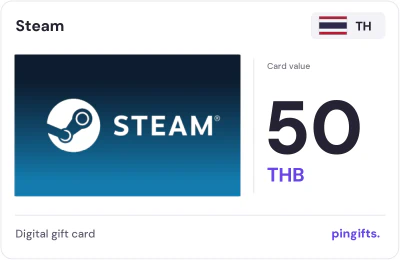
Steam gift cards for Thailand
 For Steam accounts set to Thailand
- Values
- 15
- Range
- 50 to 3,000 THB
- From
- $1.27
- Currency
- THB
Choose a value
- 50 THB$1.27
- 75 THB$1.90
- 100 THB$2.53
- 170 THB$4.31
- 200 THB$5.07
- 250 THB$6.33
- 340 THB$8.61
- 350 THB$8.87
- 680 THB$17.22
- 750 THB$19.00
- 1000 THB$25.33
- 1500 THB$38.00
All 15 values
Pay in crypto through NOWPayments. Code delivered right after payment confirms – on your order page and by email.
15 Steam cards are listed for Thailand, from 50 to 3,000 THB. Each code is meant for a Steam wallet that already uses THB. The lowest price is $1.27. If your account is set to another country, choose it from the 36 other Steam markets below.
Thailand Steam card values and USD prices
| Card value | You pay (USD) | Card page |
|---|---|---|
| 50 THB | $1.27 | Details 50 THB |
| 75 THB | $1.90 | Details 75 THB |
| 100 THB | $2.53 | Details 100 THB |
| 170 THB | $4.31 | Details 170 THB |
| 200 THB | $5.07 | Details 200 THB |
| 250 THB | $6.33 | Details 250 THB |
| 340 THB | $8.61 | Details 340 THB |
| 350 THB | $8.87 | Details 350 THB |
| 680 THB | $17.22 | Details 680 THB |
| 750 THB | $19.00 | Details 750 THB |
| 1000 THB | $25.33 | Details 1000 THB |
| 1500 THB | $38.00 | Details 1500 THB |
| 1700 THB | $43.06 | Details 1700 THB |
| 2000 THB | $50.66 | Details 2000 THB |
| 3000 THB | $75.99 | Details 3000 THB |
What a Steam card for Thailand is
A Steam card for Thailand is prepaid credit in THB, issued for Thailand. Steam Wallet funds buy games, downloadable content and in-game items on Steam. The balance stays in the Steam account and cannot be withdrawn.
Steam matches a code to the wallet currency. Its support notice limits redemption to the currency the account's wallet already uses, so a code in THB is meant for a THB wallet.
What a Steam card for Thailand can pay for
Some games and subscriptions are only sold in certain countries. This card spends on Steam in Thailand. If a console has several profiles, redeem the code on the one that will play.
- Games and downloadable content from the Steam store
- In-game items in games that take Steam Wallet funds
- Items on the Steam Community Market
- Games bought as a gift for a Steam friend
How to redeem a Steam card in Thailand
The wallet currency shows next to the balance in your Steam account details. Check it before picking a value.
Steam's own help page has the current details: Steam Support: current Wallet-code restrictions and retail-card notice.
- Sign in to the Steam account that should get the funds.
- Open the Steam page for redeeming a gift card or wallet code (Account details, then Add funds).
- Enter the code and continue.
- Check the new balance and its currency before you buy anything.
Which Steam value should you pick?
There are 15 values here, the lowest 50 THB and the highest 3,000 THB. At the top end, one card is worth 60 times the entry value. The dollar price is $1.27 for the smallest card and $75.99 for the largest. A first-time buyer can start with 50 THB to confirm the code redeems.
- 50 THB: $1.27
- 75 THB: $1.90
- 100 THB: $2.53
- 170 THB: $4.31
- 200 THB: $5.07
- 250 THB: $6.33
- 340 THB: $8.61
- 350 THB: $8.87
- 680 THB: $17.22
- 750 THB: $19.00
How Thailand compares with other Steam markets
PinGifts lists Steam cards for 37 countries in all. Only 2 markets have more Steam values; India has the most, with 17. It is the only Steam market here priced in THB.
More gaming brands in Thailand
If Steam is not what you need, Razer Gold, Riot Games, and PlayStation also have cards for Thailand. In all, 17 brands have cards for Thailand on PinGifts.
How to buy
- Use a Steam wallet in THB.
- Pick a value between 50 and 3,000 THB.
- Pay in crypto through NOWPayments. Your code is delivered right after the payment confirms, on your order page and by email.
- Redeem the code yourself and don't share it with anyone who asks for it.
About Steam gift cards
A Wallet code and a friend gift arrive differently
Steam's own Digital Gift Card service sends money straight to a friend: once the friend accepts it, the gift lands in their Wallet and Steam converts it into their currency. A Steam Wallet code works differently. You type it in yourself, and it adds money to the Wallet of the account you are signed in to. A game key is a third, separate product, so look at what a card page says it delivers before comparing amounts.
Full Steam buying guideQuestions about this card
What if I buy the wrong country's Steam card?
A code issued for Thailand usually won't redeem on an account set to another country, and it can't be moved between regions. Once the code is revealed it counts as used, so check the account first.
Will a Steam code in THB work on my Steam account?
Only if the account's Steam Wallet is already in THB. Steam limits code redemption to the wallet currency, and a flag or dollar sign on the card art doesn't change that.
Where do I see my Steam Wallet balance after redeeming?
Sign in to Steam: the balance sits in the top right corner, next to your profile name. Wallet money can't be moved or gifted to another Steam account later, so redeem the code on the account that should use it.
How does payment work, and where do I get the code?
You pay in crypto through NOWPayments at the USD price shown. Your code is delivered right after the payment confirms, on your order page and by email.
What currency is the Steam Thailand card in?
The face value is in Thai baht (THB). PinGifts shows a USD price next to each value.
Which Steam Thailand card values are there?
50 THB, 75 THB, 100 THB, 170 THB, 200 THB, 250 THB, 340 THB, 350 THB, 680 THB, and 750 THB, plus 5 more. Each value has its own page with the USD price.
Steam in 36 other countries
 IndonesiaIDR · 15 values
 CanadaCAD · 6 values
 BrazilBRL · 4 values
 PolandPLN · 4 values
 NetherlandsEUR · 3 values
 TurkeyUSD · 5 values
 IndiaINR · 17 values
 AustraliaAUD · 6 values
 PhilippinesPHP · 11 values
 European UnionEUR · 5 values
 South AfricaZAR · 13 values
 VietnamVND · 10 values
Popular gaming cards in Thailand
- Razer Gold7 values
- Riot Games3 values
- PlayStation2 values
- Roblox2 values
- Valorant1 value
- GrabFood21 values
- GrabGifts21 values
- GrabMart18 values
- Lazada7 values
- Shopee6 values
- Starbucks6 values
- Bolt4 values